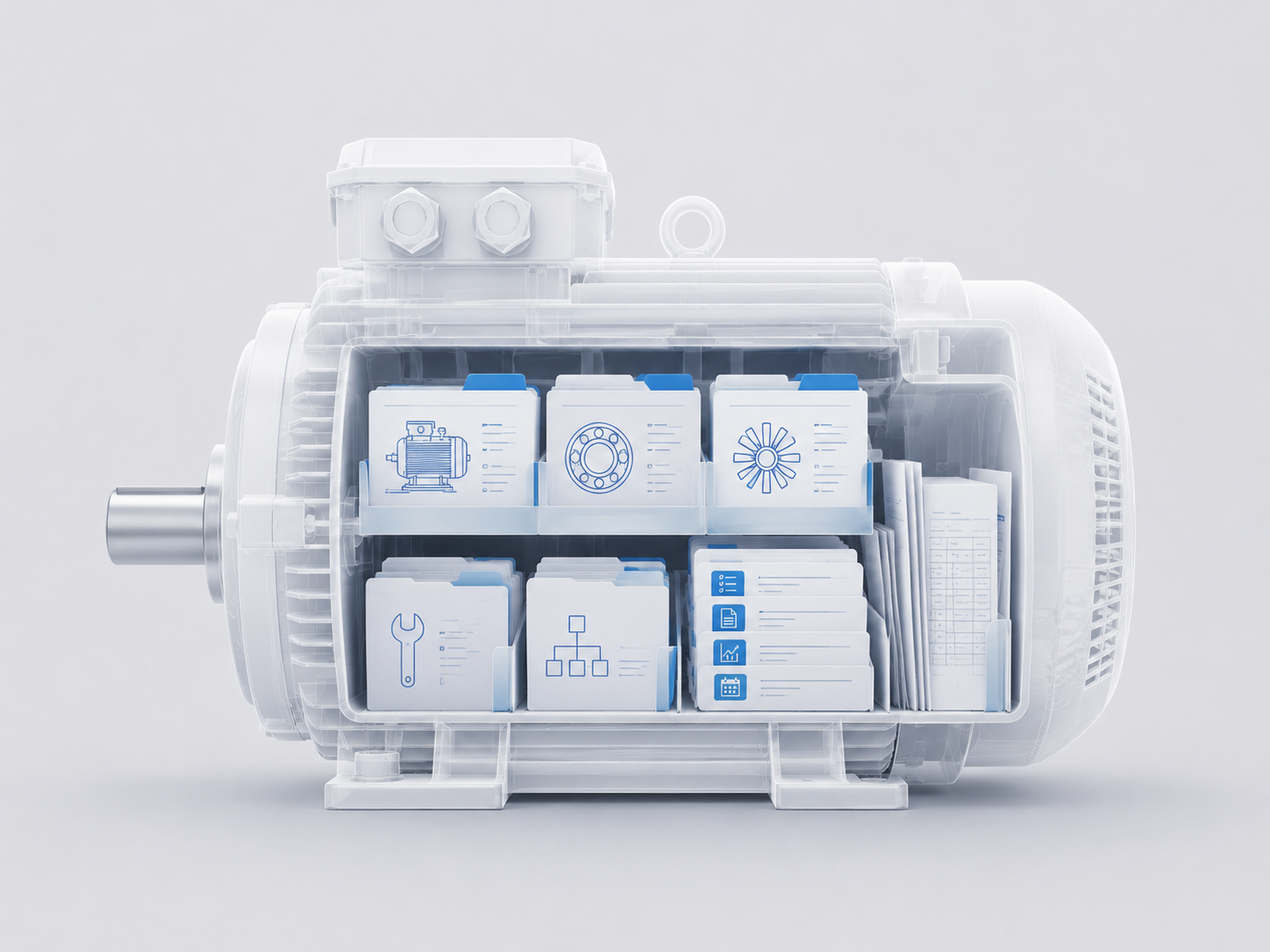
Introducing Asset Library: The OEM Data Layer Behind More Reliable Monitoring
The next step in predictive maintenance is not only sensing more. It is understanding assets better.
Keep reading
Reports aren’t the problem. Knowing what to do with them is - Introducing Analyses
We built Analyses because understanding inspection reports should never be a maintenance bottleneck.
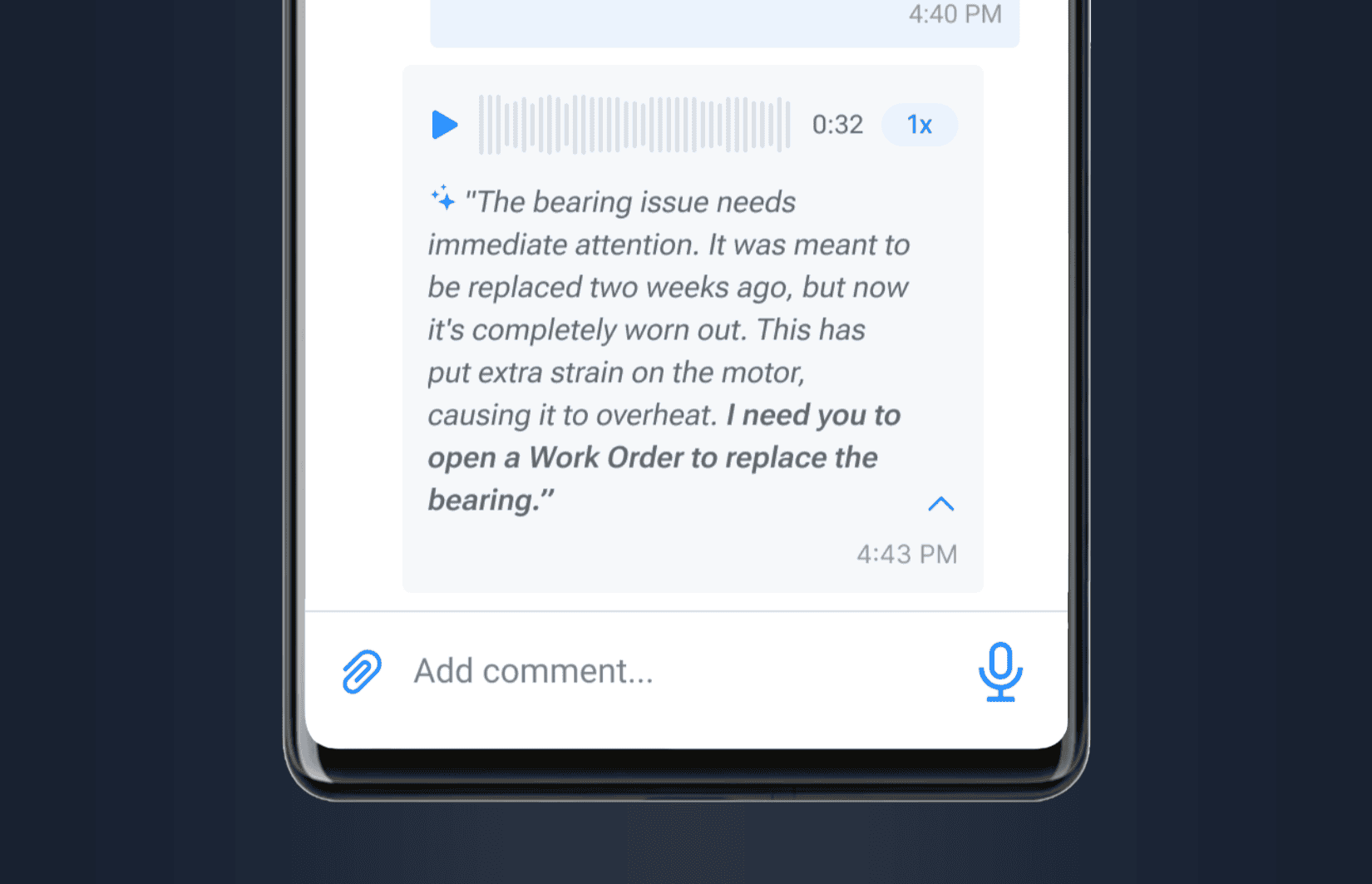
AI Transcription for Voice Notes Across the Platform
A new AI-powered transcription layer makes voice notes practical and actionable across Tractian. Designed especially for communications in the field, this upgrade transforms spoken updates into structured text, enhancing communication without requiring extra effort. Feature Overview Voice Notes now automatically convert to text using artificial intelligence. Users can record audio across the platform — in work orders, inspections, or other modules — and receive instant transcriptions. This ap
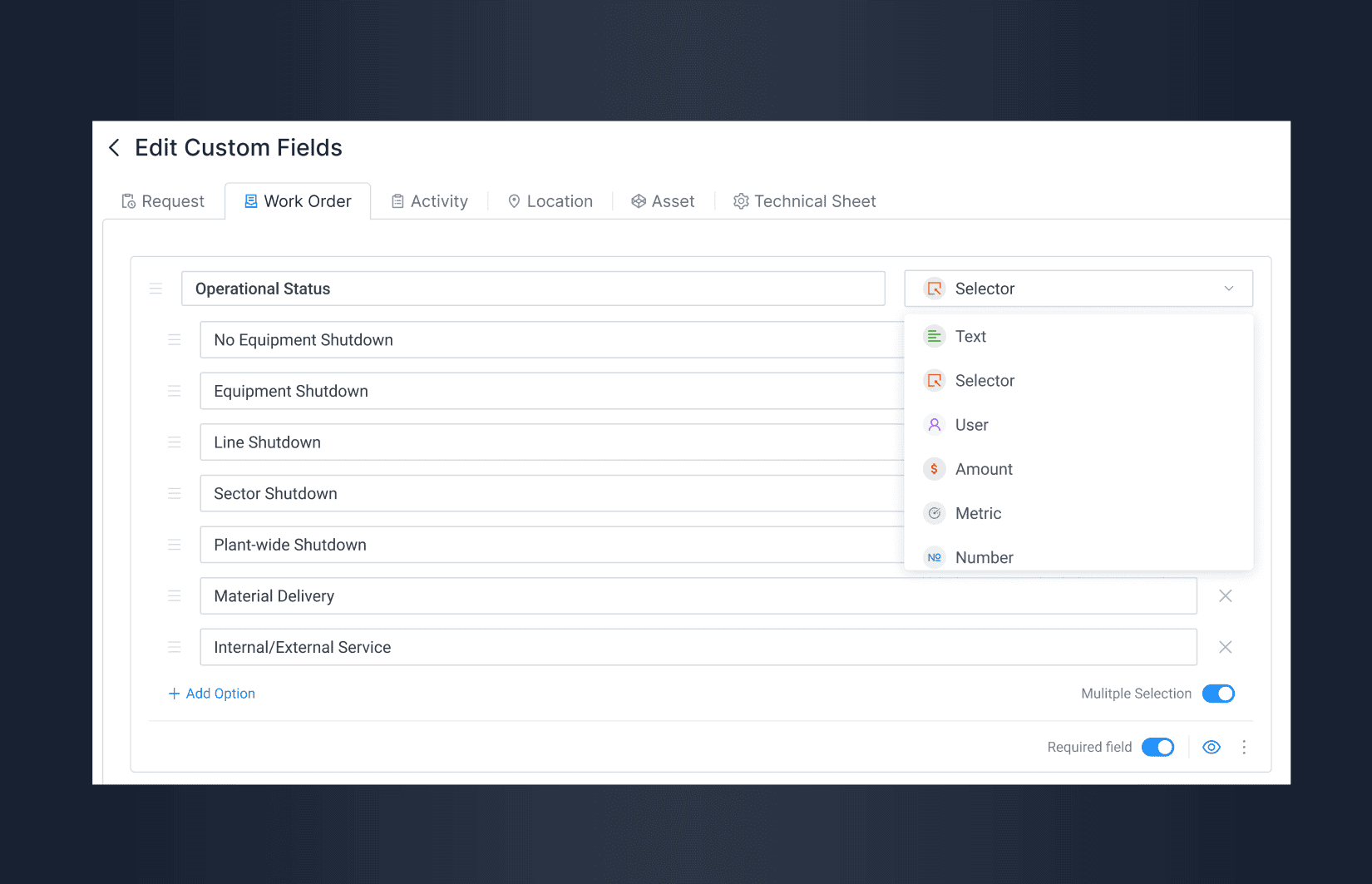
Custom Fields for CMMS Configuration
Tractian now allows Admins on Enterprise plans to create Custom Fields across core CMMS modules, giving maintenance teams the flexibility to adapt the platform to their own workflows and reporting standards. One of our most requested features is now live for Enterprise CMMS customers: Custom Fields. This release empowers maintenance teams to personalize Tractian according to their processes, improving data organization and reporting accuracy without relying on spreadsheets or rigid tools. With

Auto-generated SOPs: Standard Operating Procedures with AI
You can now create Standard Operating Procedures (SOPs) and assign them to Failure Inspections in the platform. These can include mandatory protocols, checklists, safety measures, and any other key guidelines that ensure process compliance and more robust diagnostics. We’re proud to introduce a new feature that empowers online monitoring users to solve failures more confidently, even when they’re unfamiliar with a specific machine. Creating and standardizing inspection procedures ensures that
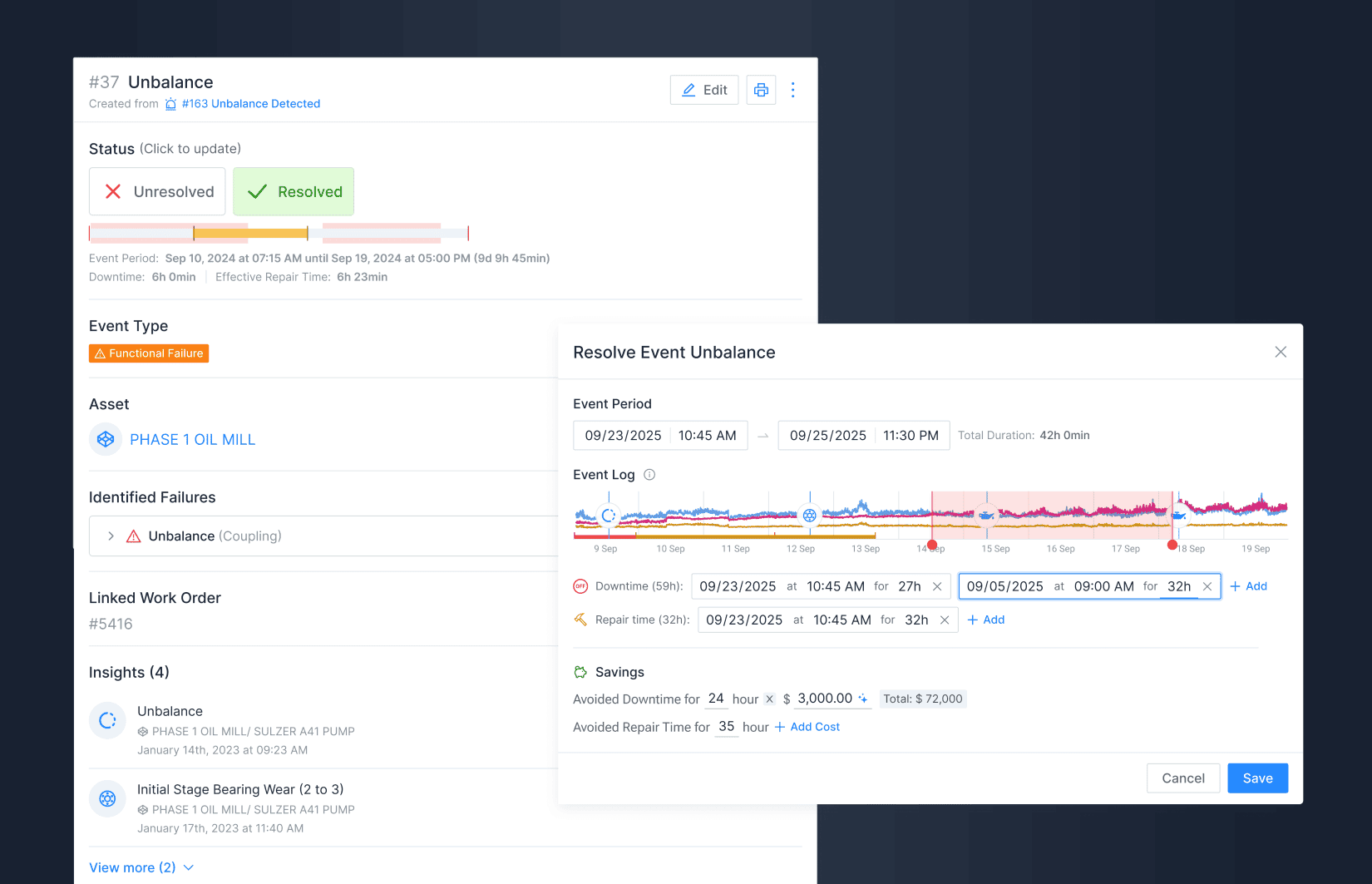
Failure Lifecycle Tracking
Your failure management process can now cover all stages of the maintenance cycle, with detailed records of each failure, associated inspections, actions taken, causes, and results. Efficient failure management is a key pillar for operational reliability and predictive maintenance maturity. That’s why we’re introducing a structured approach to logging and tracking failures and other machine behavior anomalies, enabling complete visibility into asset health across the entire lifecycle. From now

Multiple Insights Analysis into One Inspection
We’ve enhanced our AI and platform workflows so your team can play a more active role in online inspections and failure management. Now, you can group several Insights into a single route — making the process more efficient, strategic, and trustworthy while simplifying root cause detection. To improve failure management, we’re launching new features for Inspections, Failure Events, and Standard Operating Procedures, now part of a dedicated module for reliability teams. This update brings great
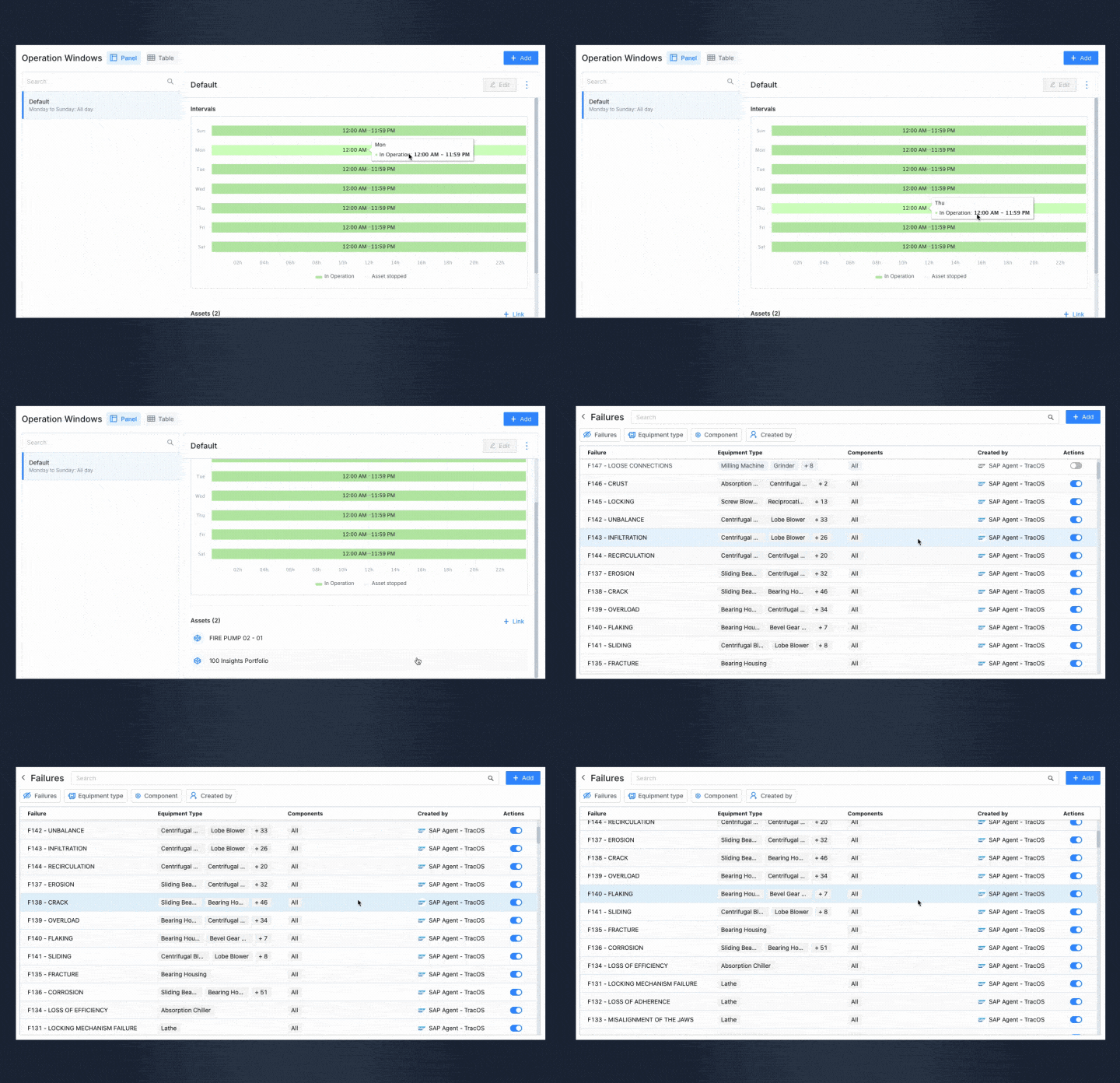
Downtime Control and Custom Workflow for Failures
On the platform, Failure Modes, Equipment, Components, and Operation Windows are fully customizable, allowing you to tailor each configuration to your operation’s needs. With precise alerts and adjustable tolerances, you ensure corrective actions are taken at the right time. Simplified Failure Registration Registering failures, equipment, and components has never been easier. Use a fully customizable interface to create failure modes and associate them with your equipment types and components
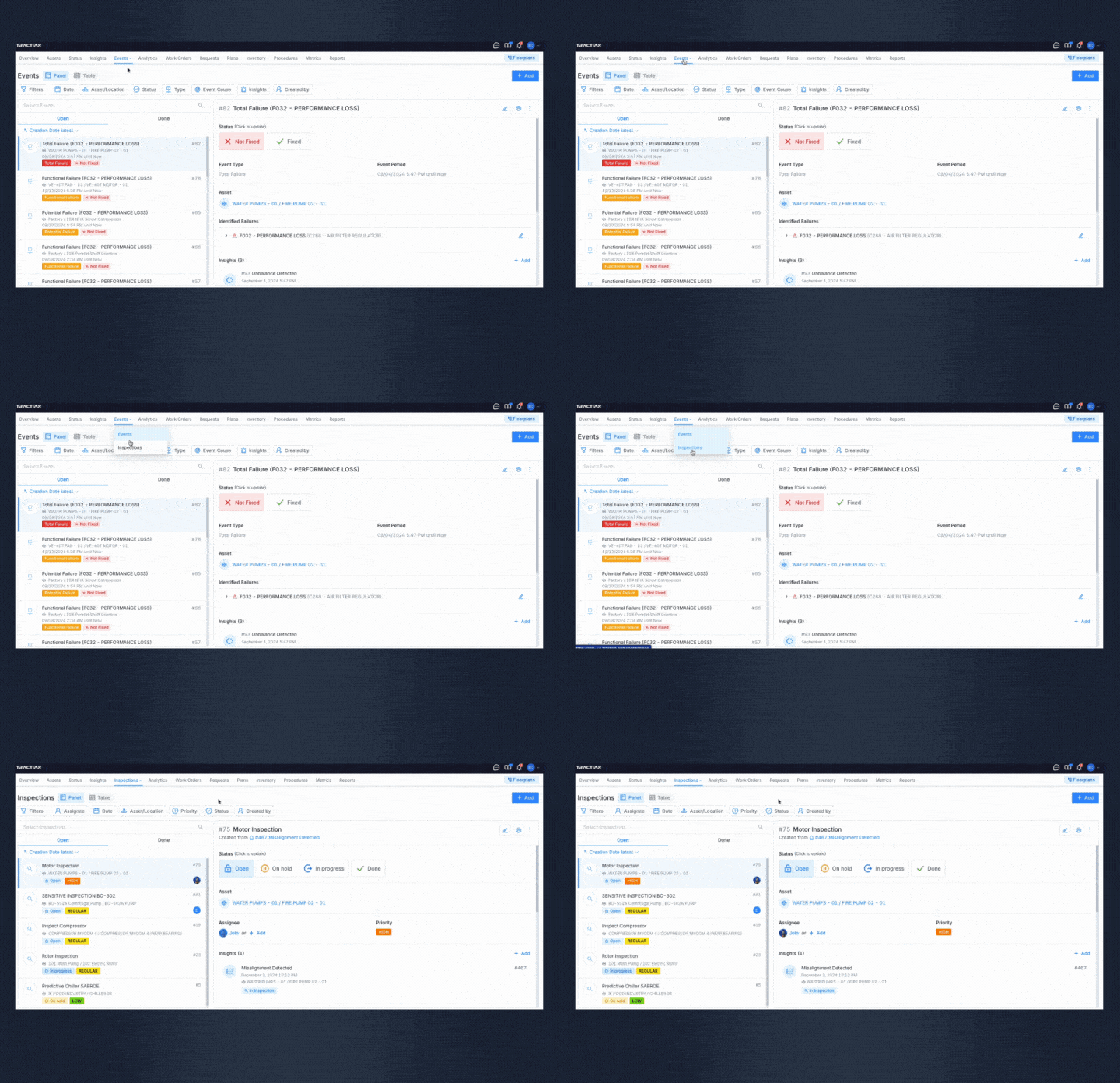
Insight grouping, Failure Management, and more
At Tractian, we’re continuously enhancing our platform to improve asset management efficiency. With the latest updates to Inspections and the introduction of Events, users can now handle asset failures with greater precision and organization. Creating and Managing Inspections Group multiple insights into formalized Inspection objects, improving organization and speeding up root cause analysis. Inspections can be assigned to teams or individuals, with their status—open, on hold, in progress, o
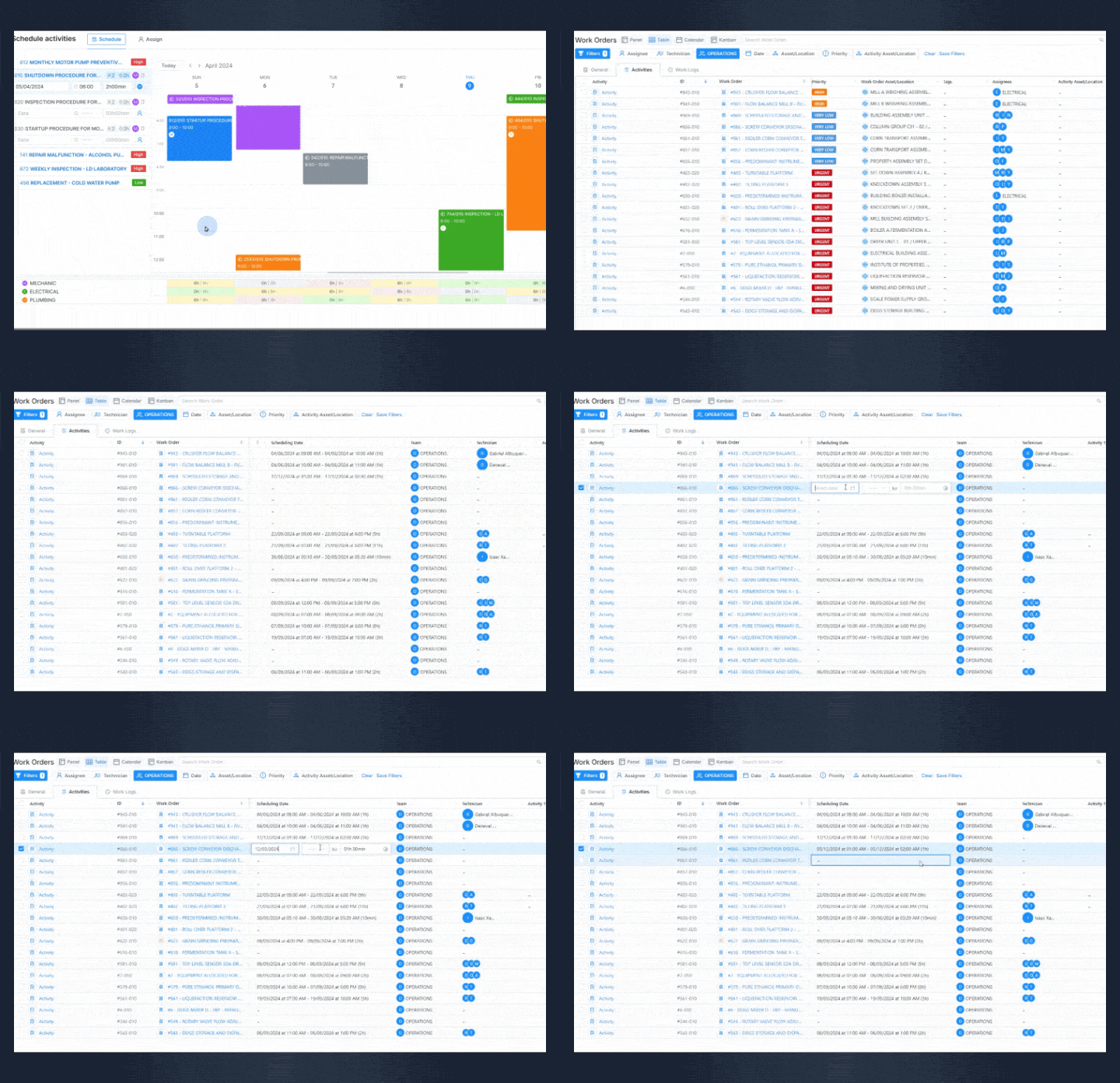
Planning and Scheduling Work Orders
The Activities feature provides a tool that ensures complete control over work orders with a smooth planning and scheduling, enabling organization, precision, and better communication with your team. Streamlined Work Order Planning Plan work orders with precision by adding essential items and procedures for each activity. Set clear start and end deadlines to optimize technicians' work hours while keeping a clear overview of the entire maintenance cycle. This ensures every task is well-prepare
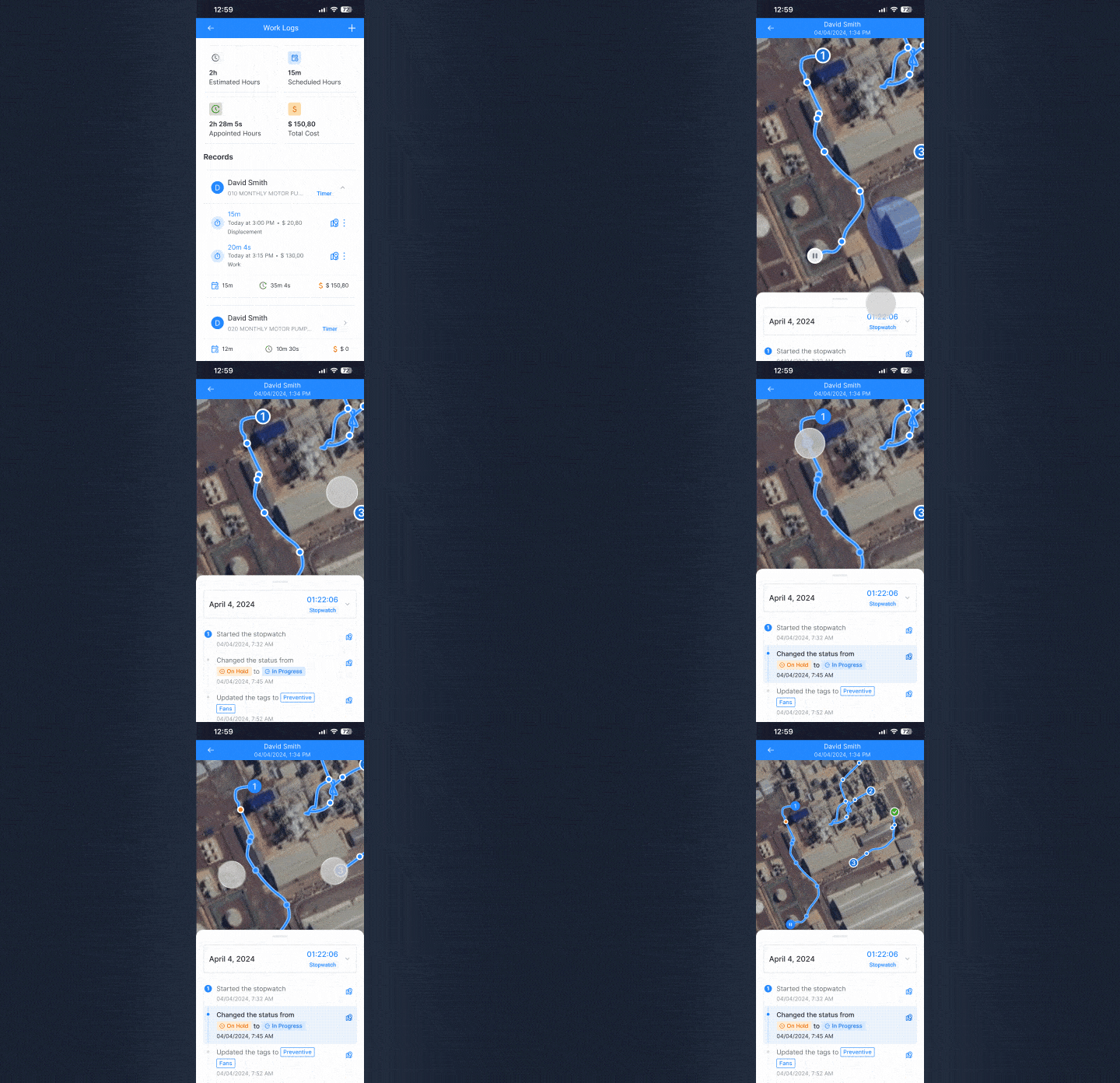
Optimized Technician Routes in the App
The Tractian App offers enhanced features to simplify technician workflows and improve activity tracking. Managers can monitor tasks from start to finish through technician logs, while technicians benefit from an intuitive interface that streamlines their routines, eliminating the need for manual updates later. Transparent and Accurate Work Tracking Technicians can now log activity details directly in the Tractian mobile app, providing a transparent and auditable record of completed tasks. Ea
Asset Availability Real-Time Calculation
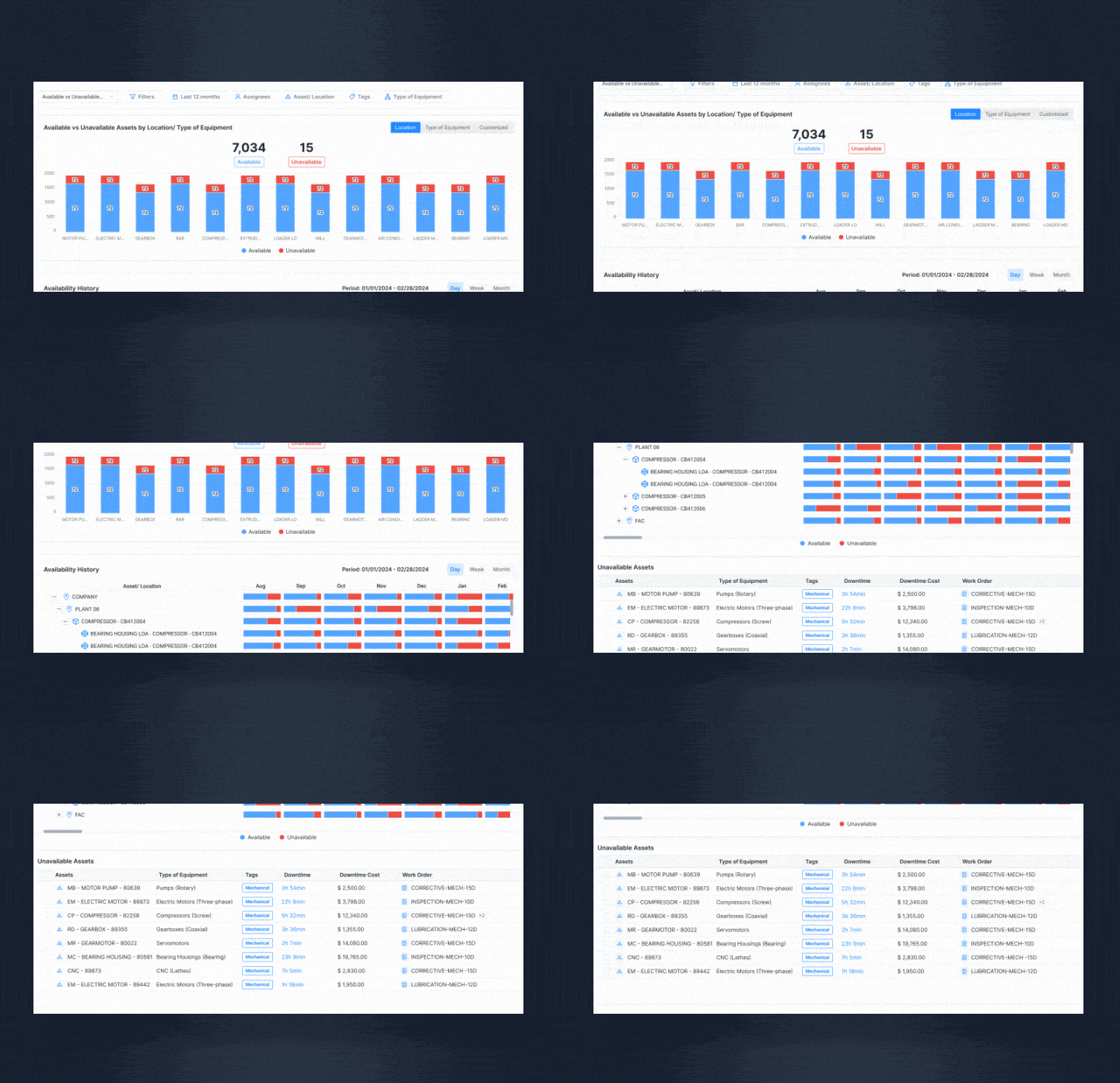
Discover how the Availability Report can transform your asset management. With intuitive visualizations, detailed historical data, and granular analyses, you’ll gain a complete view of the impact of unavailability on your equipment. Understand trends, associated costs, and how to optimize operational efficiency to ensure continuous availability and improve maintenance planning. Side-by-Side Comparison for Better Understanding The new report presents an intuitive chart that juxtaposes availabl
Enhanced Platform Navigation
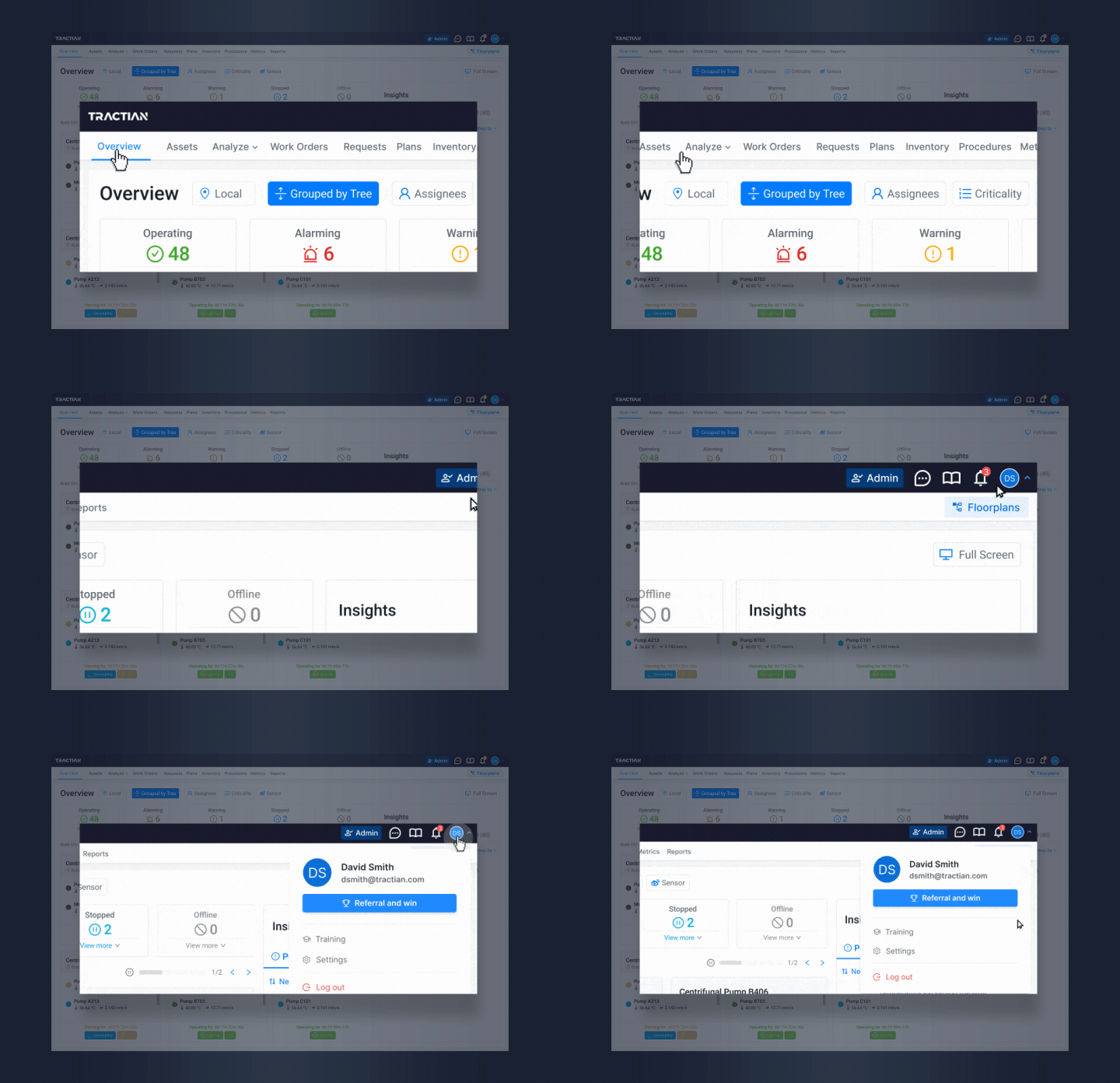
We’ve revamped the Tractian platform menu to improve visibility, functionality, and user experience. With a focus on clarity and efficiency, the new design ensures that critical information and tools are always within easy reach, helping you navigate the platform effortlessly. Centralized Access to Essential Tools Key settings such as "Admin," "Floorplan," and "Support" are now grouped at the top of the menu for quicker access. By clicking on your name, you’ll find shortcuts to "Settings," "T
Comprehensive free materials for your maintenance and reliability
Get free access to materials for increased productivity and an optimized maintenance routine.