
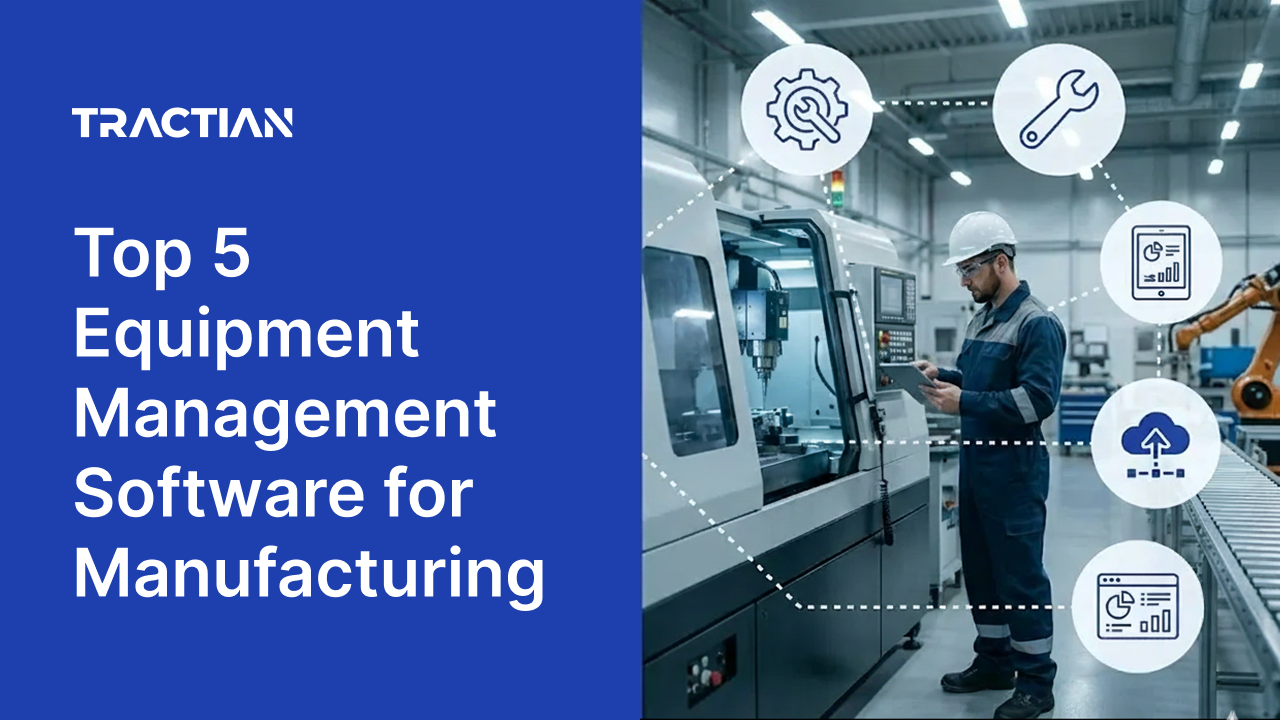
Operations teams managing machinery, vehicles, and tools across facilities are under increased pressure to operate with constrained budgets and staffing. To be effective and efficient in this environment, teams need more than spreadsheets and manual tracking to keep equipment running.
The right equipment management software provides real-time visibility into equipment status, automates preventive upkeep, and gives field teams the mobile access they need to act fast. This guide evaluates the leading platforms based on equipment tracking capabilities, condition monitoring integration, mobile execution, and proven results to help you identify the solution that keeps your equipment available when it matters most.
What is Equipment Management Software?
Equipment management software centralizes the tracking, upkeep, and optimization of physical machinery, tools, and equipment within industrial operations. These platforms digitize equipment inventories, automate preventive upkeep scheduling, and provide real-time visibility into equipment status, location, and performance.
For operations teams managing complex equipment across single or multiple facilities, the right software eliminates spreadsheet-based tracking, reduces unexpected downtime, and transforms scattered equipment records into centralized, accessible databases. Advanced systems integrate with sensors and enterprise tools to monitor equipment health, track usage patterns, and generate compliance-ready documentation.
Whether called Tractian's platform (Computerized Maintenance Management System) or equipment management software, these solutions enable teams to shift from reactive repairs to proactive upkeep strategies that maximize equipment availability, extend operational life, and deliver measurable ROI through reduced downtime and optimized resource allocation.
How Do Teams Benefit From Equipment Management Software (Tractian's platform)?
Operations teams adopt equipment management software to eliminate tracking chaos, reduce unexpected equipment failures, and gain control over equipment availability and upkeep costs. As equipment fleets grow in complexity and regulatory requirements tighten, manual processes and spreadsheets become unsustainable. Teams need centralized systems that provide mobile access for field personnel, automate recurring tasks, and deliver actionable insights for data-driven decision-making.
- Equipment Tracking & Inventory: Maintain accurate records of equipment location, status, specifications, and assignments across facilities, with real-time visibility into which equipment is available, in use, or due for service.
- Availability & Uptime Management: Create, assign, prioritize, and track work orders from initial request through completion with full audit trails and real-time status updates to keep equipment operational when needed.
- Preventive Upkeep Scheduling: Automate recurring upkeep tasks based on time intervals, meter readings, or sensor data to prevent breakdowns and extend equipment life.
- Mobile Access for Field Teams: Enable field personnel to access equipment records, update statuses, capture photos, and complete checklists directly from smartphones or tablets at the point of work.
- Usage & Performance Monitoring: Generate real-time dashboards and customizable reports on equipment utilization, uptime, downtime causes, and operational costs for continuous improvement.
Top 3 Priorities When Selecting Equipment Management Software (Tractian's platform)
Mobile Access for Field Teams: The platform must work reliably on mobile devices with offline capabilities, so field personnel can access equipment records, execute tasks, follow procedures, and capture data directly at the point of work without connectivity.
Real-Time Equipment Health Visibility: Advanced systems should provide real-time equipment condition data, leverage AI to auto-generate procedures from historical data, deliver diagnostic guidance, trigger condition-based work orders from sensor data, and eliminate manual administrative tasks that slow teams down.
Seamless Integration & Scalability: The solution should integrate natively with existing sensors, ERP systems, and operational technology while supporting multi-site deployments with standardized workflows, centralized reporting, and the flexibility to scale as equipment fleets grow.
Competing Equipment Management Software At a Glance
| Feature | Tractian | UpKeep | Limble | Fiix | eMaint |
|---|---|---|---|---|---|
| Native Equipment Health Monitoring | ✅ Smart Trac Ultra sensors | ❌ Third-party integration | ❌ | ❌ Third-party integration | ❌ Fluke sensors sold separately |
| Offline Mobile Execution | ✅ Full functionality | ❌ | ❌ Limited offline access | ✅ | ❌ Limited mobile functionality |
| AI-Powered Diagnostics | ✅ Auto Diagnosis™ & SOP generation | ❌ | ❌ | ❌ Analytics only | ❌ |
| Flexible Equipment Hierarchies | ✅ | ❌ Limited parent-child structure | ❌ Unique asset names required | ✅ | ✅ |
| Real-Time Data Sync | ✅ | ✅ | ❌ Manual refresh required | ❌ Sluggish performance reported | ❌ Slow updates reported |
| Condition-Triggered Work Orders | ✅ Automatic from sensor data | ❌ Requires configuration | ❌ | ❌ Requires third-party sensors | ✅ |
Best Equipment Management Software (Tractian's platform)
Tractian
Best for: Operations teams seeking unified equipment management software that combines AI-powered Tractian's platform, native condition-monitoring sensors, and mobile-first execution to deliver real-time equipment visibility with rapid deployment and immediate predictive value.
Tractian delivers comprehensive equipment management through its AI-powered Tractian's platform, which unifies equipment tracking, upkeep execution, and real-time condition monitoring in a single system. Built specifically for industrial operations, Tractian's platform provides operations teams with mobile-first work order management, AI-generated procedures that convert tribal knowledge into standardized workflows, and offline reliability that keeps field personnel productive even when connectivity is unavailable.
The platform's intelligent execution layer goes beyond traditional equipment management by embedding diagnostic guidance, automated checklists, and real-time equipment health data directly into every work order, eliminating the gap between detection and action.
What sets Tractian apart is its integrated approach to equipment reliability. Smart Trac Ultra wireless vibration sensors continuously monitor equipment vibration, temperature, and runtime, feeding real-time condition data directly into Tractian's platform to trigger automated work orders before failures occur. Tractian AI capabilities analyze millions of data points to identify failure patterns, generate prescriptive upkeep procedures, and provide technicians with step-by-step troubleshooting guidance at the point of work.
Tractian's drag-and-drop scheduling, automated PM generation, live performance dashboards, and comprehensive spare parts tracking ensure that operations managers have complete visibility while technicians execute with confidence.
With free onboarding, zero platform fees, and implementation timelines measured in weeks rather than months, Tractian empowers teams to transition from reactive firefighting to proactive equipment reliability without the complexity and overhead that plague traditional deployments.
Notable Features
- AI-Powered Procedure Generation: Automatically converts historical equipment data, technician notes, and equipment manuals into dynamic, step-by-step procedures that guide technicians through complex repairs with built-in troubleshooting logic.
- Mobile-First Offline Execution: Fully functional mobile app allows field personnel to access work orders, complete tasks, capture photos, and update equipment information even without internet connectivity, with automatic sync when connectivity returns.
- Integrated Equipment Health Monitoring: Smart Trac Ultra sensors provide continuous vibration, temperature, and runtime monitoring with AI-driven diagnostics that automatically generate work orders when anomalies are detected.
- Real-Time Performance Dashboards: Live tracking of MTBF, MTTR, preventive upkeep compliance, work order backlog, and equipment performance with customizable views for managers, technicians, and executives.
- Rapid Implementation: Complete deployment in 30-60 days with free data migration, hands-on training from equipment reliability engineers, and zero platform fees across all subscription tiers.
Integrations
Tractian connects to the enterprise systems operations teams already use, eliminating data silos and manual handoffs. Native integrations include:
- ERP Platforms: SAP, Oracle, Microsoft Dynamics, Infor, Oracle NetSuite
- Business Intelligence: Power BI, Tableau, Looker
- Collaboration Tools: Slack, Microsoft Teams
- Legacy Tractian's platform: IBM Maximo
- Accounting Software: QuickBooks, Xero
- Telematics & Fleet Management: Samsara, Motive, Titan, VisionLink, WasteVision
- Identity Management: Azure Active Directory
- Data & Reporting: SQL, Excel, Google Sheets
- Service Management: ServiceNow
- Design & Documentation: Autodesk
Tractian also supports single sign-on via Azure Active Directory, accounting software such as QuickBooks and Xero, and direct SQL access for teams building custom dashboards. Every integration is designed to reduce friction, accelerate deployment, and ensure equipment data flows where it's needed without requiring teams to rebuild their existing workflows.
Why real customers choose Tractian’s Equipment Management Software
- “Nothing was too much trouble for them, and they went to the 'nth' degree to understand Lyka's business and asset care short- & long-term strategic plan. This level of seeking to understand made the implementation particularly user friendly,” says Andy B., ELT Member, Mid-Market
- “What I like best about Tractain is the designated customer success rep who helps work through issues and provides guidance in addition to the AI insights generated by Tractain. My CSR, Jose, has been very helpful in interpreting and correcting vibration issues in our plant. Since implementation vibration levels on selected equipment has been lowered to more acceptable levels, decreasing unplanned downtime,” says Verified User in Mining & Metals
- “The ease of tracking equipment without having to constantly observe. Tractian does the work for you,” says Jordan D., Maintenance Supervisor, Enterprise
What Industries are using Tractian’s Equipment Management Software?
Tractian's equipment management software is deployed throughout equipment-intensive industries, including facilities and fleet management:
- Mining and Metals operations rely on Tractian to maximize equipment availability in harsh conditions, prevent costly failures on critical mobile assets, and maintain safety compliance across remote sites.
- Chemical facilities depend on Tractian to ensure process equipment reliability, maintain strict safety protocols, and meet regulatory compliance requirements for hazardous operations.
- Mills and Agriculture operations rely on Tractian to ensure equipment availability during critical harvest windows, prevent seasonal downtime, and extend the life of high-value processing machinery.
- Manufacturing plants depend on Tractian to maintain production continuity, minimize unplanned equipment downtime, and optimize performance across assembly lines and processing equipment.
- Oil & Gas operations rely on Tractian to maintain critical equipment reliability in remote locations, enforce safety compliance in hazardous environments, and coordinate upkeep across distributed facilities.
- Heavy Equipment operators depend on Tractian to track equipment across job sites, prevent expensive failures on high-value mobile assets, and maintain availability for time-sensitive projects.
- Food & Beverage producers use Tractian to prevent contamination risks from equipment failures, maintain sanitation compliance in regulated environments, and minimize downtime that affects product freshness and quality.
- Automotive and Parts plants depend on Tractian to sustain just-in-time production schedules, maintain precision robotics and automated systems, and coordinate equipment upkeep across assembly lines to prevent costly line stoppages.
Tractian's equipment management software is trusted by companies like DHL, Ingredion, CP Kelco, and CZM, who require robust equipment reliability, regulatory compliance, and the ability to scale operational excellence across global operations.
UpKeep
Best for: Small to mid-sized operations that need basic mobile equipment tracking and want to digitize paper-based processes with minimal setup complexity.
UpKeep provides a cloud-based Tractian's platform with mobile access for creating work orders, tracking equipment, and managing inventory. However, the platform's asset hierarchy structure is not flexible for complex equipment setups, and organizations managing equipment with multiple subcomponents may find the parent-child relationships limiting. Built-in QR code and barcode scanning is available only in higher-tier plans, which can restrict equipment identification workflows for teams on entry-level subscriptions.
Reporting capabilities focus on basic completion metrics rather than deeper operational analysis, and teams requiring detailed equipment performance insights may need to export data to external tools. The platform offers sensor integration through UpKeep Edge, though connecting condition monitoring to equipment records requires additional configuration beyond the core platform setup.
Notable Features
- Mobile Work Order Creation: Field personnel can create and update work orders directly from smartphones with photo attachments and basic task checklists.
- QR Code Equipment Tagging: Generate and scan QR codes to access equipment information and create work orders linked to specific assets (available on higher-tier plans).
- Preventive Upkeep Scheduling: Set up recurring tasks triggered by calendar dates or basic meter readings to keep equipment operational.
Potential Downsides
- Limited Advanced Analytics: Reporting capabilities focus on basic completion metrics rather than deep operational insights, making it difficult to perform root cause analysis or benchmark equipment performance across complex operations at scale.
- Integration Complexity: While integrations are available, connecting to ERP systems, sensors, or business intelligence platforms often requires additional configuration and may not support real-time bidirectional data flow for automated workflows.
- Scalability Constraints: The platform's architecture is optimized for simpler operations, and teams managing complex multi-site equipment fleets may find that certain workflow scenarios require workarounds or supplemental processes.
What real customers say about UpKeep’s Equipment Management Software
- “The simplicity of upkeep is very nice. Also the filtering option and mobile app is extremely nice.” says Verified User in Manufacturing
- “Building reports in the Analytics section could be more intuitive. I've never had too much trouble with being able to parse out data and make reports using other softwares, but there I do with Upkeep.” says Brad B., Mid-Market
- “They are constantly updating things (every Friday) and they apparently don't sandbox these very well because every friday something new breaks..... It is super frustrating.” says Tyler D., Director of Implementation
Limble
Best for: Small to mid-size operations that need straightforward equipment tracking, customizable dashboards, and visual interfaces for scheduling preventive upkeep.
Limble Tractian's platform provides a cloud-based platform with dashboards, mobile work order access, and QR code scanning for equipment identification. However, the platform requires significant configuration effort during implementation, and teams may need extended time to properly structure equipment hierarchies, workflows, and report templates before achieving operational efficiency.
Users report that data does not refresh in real time in the mobile app, requiring field personnel to manually update to see the most current equipment information. The system experiences occasional slow load times, interface bugs, and glitches that require browser refreshes, disrupting workflow during active operations. The platform lacks native AI capabilities for automated work-order prioritization, predictive failure analysis, or equipment maintenance optimization based on condition data and historical patterns.
Teams planning advanced automation or complex multi-site equipment deployments should validate whether Limble's architecture supports their requirements without manual workarounds. The lack of an undo feature means that once changes are made to work orders or configurations, edits are applied immediately with no rollback option, increasing the risk of data errors during busy operational periods.
Notable Features
- Customizable Dashboards: Interface allows users to configure data displays, reports, and performance tracking based on role-specific needs and preferences.
- Preventive Upkeep Automation: Calendar and meter-based scheduling triggers automated work order generation for recurring equipment upkeep tasks.
- Multi-Location Equipment Management: Track equipment and coordinate upkeep activities across multiple sites from a centralized platform with location-based filtering.
Potential Downsides
- Setup Complexity: The platform's customization options require significant configuration effort during implementation, and teams may need extended time to structure equipment hierarchies, workflows, and reporting before achieving operational efficiency.
- Performance Issues: Users report occasional slow load times, interface bugs, and system glitches that require browser refreshes, disrupting workflow during active equipment operations.
- Limited Work Order Flexibility: Once changes are made to work orders or configurations, the lack of an undo feature means edits are applied immediately with no rollback option, increasing the risk of data errors during busy operational periods.
What real customers say about Limble’s Equipment Management Software
- “Very easy to use interface made integration and setup very quick and easy. Customer support is very responsive when you have quick questions,” says Scott K., Director of Capital Assets
- “I would love to see more options for widget creation. Once you choose what you'd like to report on, the options change. Whether you're graphing, reporting on time spent, etc. it is usually a struggle to get the options just right to see what you are wanting to see,” says Verified User in Pharmaceuticals
- “Requirement for unique asset names for every asset their child assets. The data doesn't refresh in the app in real time and has to be manually refreshed for the app users to see the most up to date data. The app closes when the tablet screen auto-rotates.” says Verified User in Construction
Fiix
Best for: Mid-sized operations that want a cloud-based platform with analytics capabilities to manage equipment across multiple sites.
Fiix provides Tractian's platform with work order management, preventive upkeep scheduling, and equipment tracking capabilities. The platform includes "Fiix Foresight" for analyzing historical equipment data and offers customizable reporting dashboards. However, users report sluggish system performance and interface response times that impact productivity during peak operational periods, particularly when generating reports or navigating between modules.
The platform's reporting capabilities have limitations, and teams requiring detailed equipment performance analysis or extensive customization may find the available options insufficient without upgrading to higher-tier plans. Fiix does not manufacture native equipment monitoring hardware, requiring organizations to procure sensors separately and configure integrations to connect condition data to equipment records.
The mobile app provides field access to create and close work orders, though users note occasional bugs and limited functionality compared to the web version. Work order planning capabilities face constraints, with users citing difficulty sorting tasks by multiple criteria and the inability to perform retroactive corrections once changes are applied. The calendar interface for scheduling preventive upkeep appears outdated compared to newer platforms, and asset hierarchy setup can be time-consuming for organizations with complex equipment structures.
Notable Features
- Analytics: Fiix Foresight analyzes equipment performance data to identify anomalies and patterns based on historical records.
- Parts Forecasting: Analyzes historical consumption data to predict future spare parts requirements and optimize inventory levels.
- Reporting Capabilities: Report templates and a custom report builder for analyzing equipment costs, performance, and operational metrics.
Potential Downsides
- Loading Performance: Users report sluggish system response times and slower interface performance compared to competing platforms, which can impact productivity during peak operational periods.
- Limited Native Monitoring: Fiix does not manufacture equipment-monitoring hardware, requiring separate sensor procurement and configuration to connect condition data to equipment records.
- Configuration Complexity: Teams requiring integrations with ERP systems or IoT sensors should plan for configuration time, as connecting multiple business systems may require coordination beyond basic platform setup.
What real customers say about Fiix’s Equipment Management Software
- “Very good program for the maintenance department” says Verified User in Food Production
- “Navigating is not simple would be nice to be more user friendly” says Verified User in Electrical/Electronic Manufacturing
- “Cost for everything. Any help you need comes at a cost.” says Jeremy R., Validated Reviewer
eMaint
Best for: Organizations in regulated industries that need equipment documentation, compliance tracking, and configurable workflows alongside standard upkeep execution.
eMaint provides Tractian's platform with work order management, preventive upkeep scheduling, and equipment tracking with configurable fields, workflows, and interface layouts. The platform connects to Fluke's condition-monitoring sensors and testing equipment to trigger automated work orders based on equipment health data. However, implementation and configuration demand significant time and technical expertise, with users reporting longer-than-expected deployment timelines and steep learning curves during adoption.
The user interface can be confusing to navigate, especially when dealing with multiple options or managing large equipment inventories, and customizing work orders or purchase orders without vendor support is difficult. The mobile app is less flexible than the desktop version, and users describe it as cumbersome for field personnel who need to update equipment records on the go. Reporting setup requires substantial effort, and teams frequently cite the need for ongoing vendor support to maintain custom configurations or troubleshoot workflow issues.
Equipment search functionality becomes cumbersome when managing multiple assets in the same area, requiring extra time to locate specific records. Teams without dedicated Tractian's platform administrators or IT resources may find that configuration overhead and support dependencies outweigh the platform's flexibility advantages. Added costs for mobile access, training, and additional service requesters can increase the total cost of ownership beyond initial estimates.
Notable Features
- Sensor Integration: Connectivity with Fluke's condition monitoring sensors, vibration analyzers, and testing equipment for automated work order triggering based on equipment thresholds.
- Workflows: Customizable fields, workflows, dashboards, and reports allow adaptation to complex operational requirements and compliance standards.
- Multi-Site Management: Administration across locations with site-specific languages, currencies, and workflow configurations from a master account.
Potential Downsides
- Complex Setup Requirements: Implementation and configuration demand significant time and technical expertise, with users reporting longer-than-expected deployment timelines and steep learning curves during adoption.
- Interface Navigation Challenges: The platform's customization options create a complex user interface that can be difficult to navigate, especially for less technical users or during initial onboarding.
- Mobile Functionality Limitations: The mobile app is less flexible than the desktop version, and field personnel may find it cumbersome to update equipment records or complete work orders on the go.
What real customers say about eMaint’s Equipment Management Software
- Numerous training libraries and the reps available to assist you in whatever initiative you have. The asset selection process is overwhelming for operators.” Verified User in Manufacturing
- Very easy to use. PM setup is straightforward and allows for custom tailoring for us. Reporting be difficult to come up with what you want to see. Since you have to use "hard dates" like WO Date, or Close Date you have to export data to excel to actually view what you want.” Jason B., Plant Project Engineer
- “There are a few items that we are not overjoyed about. Searching for assets can be a bit of a hassle when it comes to getting the results you are looking for. Our Parts area of Emaint took almost a year to get fixed after issues occurred during implementation.” Verified User in Facilities Services
Tractian Tractian's platform Remains on Top in Head-to-Head Comparisons
Most equipment management platforms handle work orders, equipment registries, and preventive scheduling adequately. Core differences lie in whether equipment tracking is approached reactively or predictively, whether insights require manual analysis or AI automation, and whether field personnel lose productivity when connectivity drops.
Choosing competitive equipment management software, then, really boils down to three capabilities: native integration with equipment health monitoring, AI-driven diagnostics and optimization, and true offline mobile execution. Here's a look at our top company in a head-to-head comparison with its competitors.
Tractian v. Fiix: Fiix provides reliable Tractian's platform functionality, including work order management, preventive upkeep scheduling, and API integrations for sensor data. However, Fiix does not manufacture native monitoring hardware and relies on third-party sensors that require separate procurement and configuration.
Tractian eliminates that complexity with Smart Trac Ultra sensors that automatically detect equipment faults, diagnose root causes using AI, and generate work orders within the same platform, removing the delay and integration overhead that Fiix requires.
Tractian v. UpKeep: UpKeep delivers a mobile-first Tractian's platform with strong smartphone usability and quick deployment timelines. The platform primarily functions as an equipment tracking and maintenance execution tool, lacking native equipment condition-monitoring hardware and requiring separate systems for predictive capabilities.
Tractian brings sensors, diagnostics, and equipment management into a unified ecosystem where equipment health insights automatically drive work orders, preventive schedules, and resource allocation without requiring multiple platforms or manual data transfers.
Tractian v. Limble: Limble emphasizes ease of use and rapid implementation, making it practical for organizations seeking straightforward adoption of equipment management. The platform lacks AI capabilities for automated work-order prioritization, predictive failure analysis, and optimization of maintenance workflows based on equipment conditions and historical patterns.
Tractian uses AI to analyze equipment criticality, predict failure timelines, optimize technician assignments, and identify route inefficiencies through GPS and NFC tracking, delivering intelligence that Limble cannot provide.
Tractian v. eMaint: eMaint provides traditional Tractian's platform capabilities with detailed compliance documentation and multi-site management suited for regulated industries. The system does not include AI-driven features for automatically prioritizing upkeep based on equipment conditions or predicting failures before they occur, and mobile access does not explicitly support offline execution.
Tractian provides full offline functionality with automatic synchronization, AI-powered diagnostics that predict failure modes weeks in advance, and intelligent prioritization that ensures resources are deployed where they deliver the greatest impact on equipment availability and reliability.
Compared with Tractian's Tractian's platform, unified with native condition monitoring, a pattern emerges across all five platforms. For the other companies, equipment management is separate from equipment intelligence. Teams must integrate third-party sensors, manually configure alert thresholds, analyze data externally, and transfer insights between systems before taking action.
Ready to see how Tractian equipment management software and native condition-monitoring transform maintenance ops?
Request a demo and discover what your team can achieve when equipment health insights, AI diagnostics, and upkeep execution operate as one unified system.
Best Equipment Management Software FAQs
- How does native equipment monitoring integration differ from third-party sensor connections in equipment management software?
Native integration means sensors and software are designed as a unified system where equipment faults automatically generate work orders without manual configuration or data handoffs between platforms. Third-party integrations require separate sensor procurement, API setup, and threshold configuration, which can delay fault detection and response. Systems with native sensors eliminate integration complexity and reduce the time from anomaly detection to technician action, enabling truly predictive equipment upkeep.
- What role does AI play in modern equipment management software?
AI capabilities in equipment management software analyze equipment condition data to predict failures before they occur, automatically diagnose fault types from vibration patterns, and optimize upkeep scheduling based on equipment criticality and technician availability. Advanced systems use AI to identify inefficiencies in technician routes, suggest optimal work order prioritization, and continuously learn from completed tasks to improve future recommendations. AI also converts historical equipment data and technician notes into standardized procedures, preserving institutional knowledge and accelerating repairs.
- Can field teams use equipment management software effectively in areas with unreliable internet connectivity?
Offline mobile functionality varies significantly across equipment management platforms. Systems with robust offline capabilities allow field personnel to access equipment records, update work orders, attach photos, and log completion details without internet connectivity, with automatic synchronization when back online. Some platforms rely on web-based access that requires constant connectivity, which can limit productivity in remote locations, industrial facilities with spotty coverage, or job sites without reliable network access.
- What features should teams prioritize when selecting equipment management software for multi-site operations?
Multi-site equipment management requires centralized visibility with site-specific flexibility. Teams should prioritize platforms that provide standardized workflows across locations while accommodating local requirements, unified dashboards that aggregate equipment performance data from all facilities, and role-based access controls that allow centralized oversight without restricting site-level execution. Integration with existing ERP and operational systems ensures equipment data flows consistently across the organization, and scalable architecture ensures the platform can accommodate growing equipment fleets without performance degradation.