
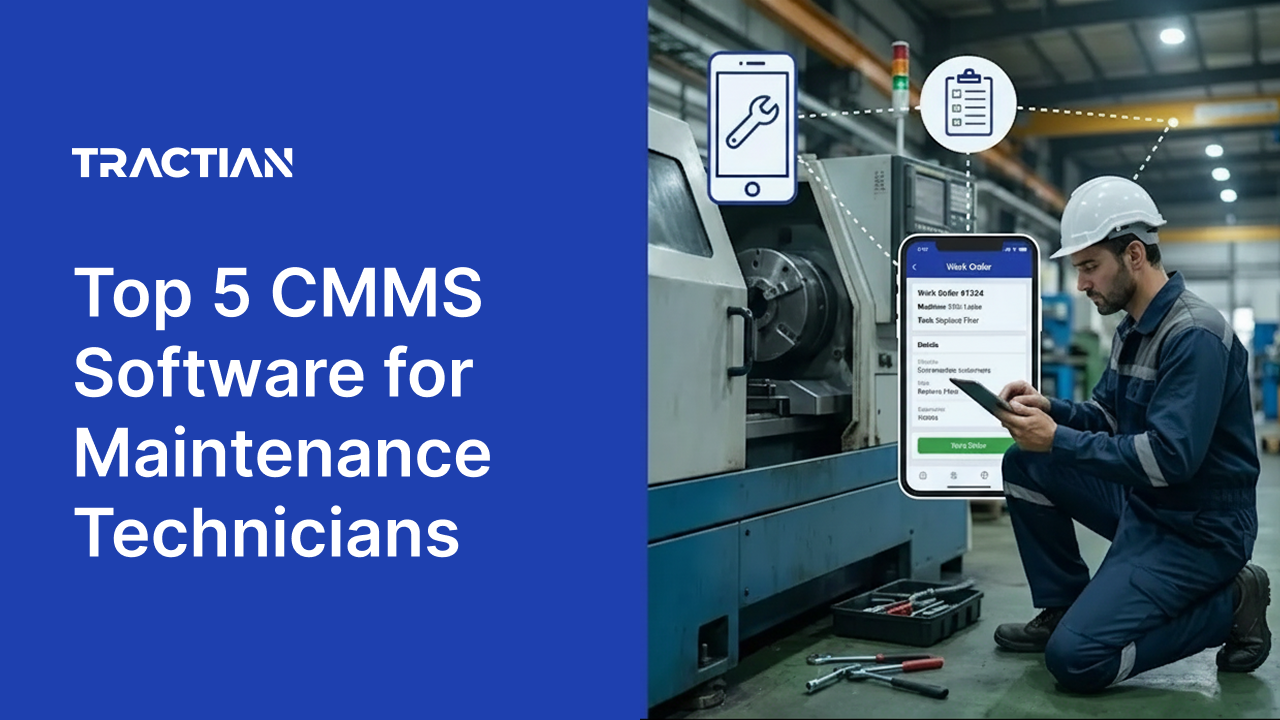
Maintenance technicians know the frustration of showing up to a job without the information they need. Vague work orders that don't explain the actual problem. No access to the asset's repair history. Missing part numbers. Procedures that exist somewhere, maybe in a binder, maybe in someone's head, but not where they're needed most: at the machine.
When technicians lack clear information at the point of work, everything slows down. Jobs take longer. First-time fix rates drop. Time gets wasted walking back to a desk, tracking down a supervisor, or hunting for documentation that should have been attached to the work order in the first place.
The right CMMS software changes that dynamic entirely. Instead of chasing down information, technicians have everything they need on their phone or tablet before they even reach the asset. The right CMMS helps technicians complete repairs correctly the first time, with less administrative burden and more time spent on actual maintenance work. This guide evaluates leading CMMS platforms through the lens of what’s relevant to the technician on the plant floor.
What is CMMS Software?
CMMS software is a digital platform that organizes and manages all maintenance activities in one place. For technicians, this means having a single system that provides access to work orders, asset information, maintenance history, parts inventory, and procedures from a phone, tablet, or desktop.
Instead of paperwork orders, scattered spreadsheets, or verbal instructions passed between shifts, a CMMS provides structured work order management that tells technicians exactly what needs to be done, on which asset, and with what resources. Each work order can include priority levels, detailed instructions, required parts, safety notes, and links to relevant documentation. Everything is automatically logged, creating a searchable record that future technicians can reference.
Advanced systems go further by integrating with condition monitoring sensors that detect equipment problems before they become failures, triggering work orders automatically when something needs attention. AI-powered features can generate standard operating procedures, provide troubleshooting guidance, and surface relevant repair history at the point of work.
Whether called CMMS (Computerized Maintenance Management System) or maintenance management software, these tools replace the guesswork and information hunting that slow technicians down. For the technician, the goal of a CMMS is simple. Put everything a technician needs to complete a job correctly into one easily accessible place.
How Do Technicians Benefit From CMMS Software?
Maintenance technicians adopt CMMS software to reduce the time spent on administrative tasks, eliminate information gaps, and complete repairs with greater accuracy. As equipment becomes more complex and experienced technicians retire, having structured systems that capture and deliver knowledge at the point of work becomes essential for consistent execution.
- Clear Work Order Information: Receive assignments that include asset details, location, priority, instructions, required parts, and relevant history. Update status, log time, and add notes directly from the field without returning to a desk.
- Access to Asset History and Documentation: Pull up an asset's complete maintenance history, past repair notes, manuals, and specifications from a mobile device. Know what was done before and what worked, instead of starting from scratch on every job.
- Embedded Procedures and Checklists: Follow standardized procedures and safety checklists built directly into work orders. Reduce variability across shifts and ensure critical steps are not missed, even on complex or infrequent tasks.
- Mobile Execution That Works Offline: Access work orders, asset details, and procedures from anywhere on the plant floor, even in areas with poor or no connectivity. Updates sync automatically when back online.
- Parts and Inventory Visibility: See which parts are required for a job and whether they are in stock before starting work. Avoid wasted trips to the storeroom or delays waiting for parts that should have been staged.
Top 3 Priorities for Maintenance Technicians Selecting CMMS Software
Ease of Use on the Plant Floor: The mobile app should be intuitive enough to learn quickly without extensive training. Technicians need to access work orders, update status, and find asset information in a few taps, not through layers of menus. Offline functionality is essential in areas with unreliable connectivity, ensuring work continues uninterrupted.
Clear and Complete Work Order Information: Work orders should arrive with everything needed to complete the job: asset location, problem description, procedures, required parts, and relevant history. Technicians should not need to chase down supervisors, search through filing cabinets, or call someone who worked on the asset last time to get basic information.
Access to Procedures and Asset History at the Point of Work: SOPs, checklists, manuals, and past repair notes should be accessible from the mobile app while standing at the asset. Systems that embed procedures directly into work orders or use AI to surface relevant guidance help technicians complete repairs correctly the first time, especially on equipment they have not worked on before.
Comparing Best CMMS Software Companies at a Glance
| Feature | Tractian | Accruent | Limble | Fiix | eMaint |
|---|---|---|---|---|---|
| Full Offline Mobile Execution | ✅ Complete functionality | ❌ Add-on required | ❌ Limited features | ❌ Requires connectivity | ✅ |
| Embedded SOPs in Work Orders | ✅ AI-generated | ❌ | ❌ | ❌ | ❌ |
| AI-Powered Failure Diagnostics | ✅ Pre-arrival insights | ❌ | ❌ | ❌ Historical analytics only | ❌ |
| Real-Time Mobile Data Sync | ✅ Automatic | ✅ | ❌ Manual refresh required | ✅ | ✅ |
| In-App Team Communication | ✅ Built-in chat | ❌ | ✅ | ❌ | ❌ |
| Mobile App Included | ✅ | ❌ Separate add-on | ✅ | ✅ | ✅ |
| QR Code Asset Lookup | ✅ | ✅ | ✅ | ✅ | ✅ |
Preferred CMMS Software for Maintenance Technicians
Tractian
Best for: Maintenance technicians who need clear work order information, embedded procedures, and an offline mobile app, with AI-powered diagnostics that identify what's wrong before they arrive at the asset.
Tractian is built for the plant floor, not the back office. The AI-powered CMMS brings everything technicians need to complete a job into one mobile-first platform. Work order details, asset history, parts information, and step-by-step procedures are all accessible at the point of work. Technicians can update status, log time, attach photos, and close out jobs from their phone or tablet without returning to a desktop.
What sets Tractian apart is its integration of maintenance execution with real-time equipment intelligence. Smart Trac Ultra wireless sensors continuously monitor vibration, temperature, and runtime, feeding AI-powered diagnostics that tell technicians what's likely wrong before they even reach the machine. Instead of arriving at an asset blind, technicians get context on the failure mode, severity, and recommended action, reducing diagnostic time and improving first-time fix rates.
The Tractian mobile app works fully offline, so connectivity dead zones on the plant floor do not interrupt work. Updates sync automatically when back online. AI-generated SOPs convert tribal knowledge and past repair data into structured procedures embedded directly in work orders, ensuring consistency across shifts and reducing the guesswork that slows down repairs. Built-in team chat, QR code scanning for instant asset lookup, and parts linked to every task mean technicians spend less time hunting for information and more time turning wrenches.
Notable Features
- Full Offline Mobile Execution: Access work orders, asset details, procedures, and history from anywhere on the plant floor, even without connectivity. Complete tasks, log updates, and attach photos offline, with automatic sync when back online.
- AI-Powered Diagnostics at the Point of Work: Smart Trac Ultra sensors detect equipment anomalies and deliver diagnostic insights directly to the mobile app, telling technicians what's likely wrong and how severe it is before they start troubleshooting.
- Embedded SOPs and Procedural Guidance: AI-generated standard operating procedures surface relevant instructions, safety steps, and past repair notes within each work order, reducing variability and ensuring critical steps are followed.
- Instant Asset Lookup via QR Code: Scan a QR code on any asset to immediately access its maintenance history, specifications, manuals, and open work orders without navigating through menus.
- Parts and Tools Linked to Every Task: Work orders include required parts and tools with real-time inventory visibility, so technicians know what they need and whether it's available before starting the job.
Integrations
Tractian connects to enterprise systems that ensure technicians have access to accurate parts information and can receive assignments through familiar communication channels. Native integrations include:
- Communication Tools: Slack, Microsoft Teams for receiving work order notifications and team coordination
- ERP Platforms: SAP, Oracle, Microsoft Dynamics, Infor, for synchronized parts availability and inventory accuracy
- Identity Management: Azure Active Directory for streamlined login without managing separate credentials
These integrations reduce friction for technicians by keeping parts data accurate, enabling notifications through tools already in use, and simplifying access to the platform.
Why real customers choose Tractian’s CMMS Software
- One manager's favorite is that Tracitan “generates warnings in which the machine is not yet in a critical state, but notifies you to be able to perform a more detailed inspection with your vibration team to validate data and the physical condition of the machine,” says Gerardo T., Predictive Maintenance Manager
- Another enterprise manager says, “The centralization of information allows you to visualize all monitored assets in one place and obtain valuable insights in real time. There is always technical support for any queries that may arise. It is easy to install and does not require major transformations within the plant,” says Maria G., Digital Enterprise Maintenance
- “The ease of tracking equipment without having to constantly observe. Tractian does the work for you,” says Jordan D., Maintenance Supervisor, Enterprise
What Industries are using Tractian's CMMS Software?
Tractian CMMS is deployed throughout maintenance-intensive industries, including:
- Mining and Metals technicians gain mobile access to work orders and asset history across remote pit locations and processing plants, with offline execution that keeps jobs moving even in underground or signal-dead zones.
- Chemical technicians access embedded lockout/tagout procedures and PSM-compliant checklists directly within work orders, ensuring safety-critical steps are documented at the point of execution.
- Mills and Agriculture technicians execute time-sensitive repairs during harvest and crush seasons with runtime-triggered PMs and mobile access to equipment specifications for grain-handling systems, conveyors, and processing lines.
- Manufacturing technicians receive AI-driven diagnostics on motors, gearboxes, and production line assets, with work orders that include failure context and procedures to minimize line stoppages.
- Oil & Gas technicians working on wellhead equipment, compressors, and pipeline infrastructure access hazardous-area-rated sensor data and safety procedures through offline-capable mobile execution.
- Heavy Equipment technicians track service intervals by engine hours and receive work orders triggered by telematics data, with SOPs for dozers, haul trucks, and hydraulic systems accessible in the field.
- Food & Beverage technicians complete sanitation and CIP tasks with embedded HACCP and SQF checklists, ensuring food safety documentation is captured at the asset during execution.
- Automotive and Parts technicians maintain press lines, robotic cells, and conveyor systems with predictive alerts that identify bearing wear or misalignment before unplanned stoppages disrupt JIT production schedules.
Tractian CMMS is trusted by companies like DHL, Ingredion, CP Kelco, and CZM, where technicians require reliable mobile tools, clear procedural guidance, and real-time equipment intelligence to execute maintenance effectively.
Accruent
Best for: OTechnicians at organizations with established maintenance processes who need basic mobile work order access and asset lookup capabilities.
Accruent Maintenance Connection provides work order management, preventive maintenance scheduling, and asset tracking through a cloud-based platform. However, technicians should be aware that the mobile app, MC Kinetic, is a separate add-on at $58 per user per month rather than included in the base subscription. Users report that the mobile app has inconsistent performance and fewer features than the desktop version, which can create gaps when technicians need full functionality in the field. The platform offers four different methods for creating work orders, though this variety can be confusing for technicians learning the system.
The software does not include live chat or phone support, so technicians who encounter issues or have questions during a job must submit email requests and wait for a response. Accruent also offers a separate condition-monitoring product, Accruent Observe, but it focuses on HVAC, refrigeration, and building management systems rather than industrial rotating equipment such as motors, pumps, and compressors. Technicians working on production machinery would not receive predictive diagnostics or failure insights from this system. The platform lacks AI-powered features for generating procedures or providing troubleshooting guidance within work orders, leaving technicians to rely on separately stored documentation or supervisor input for complex repairs.
Notable Features
- Work Order Access: MC Kinetic allows technicians to view work orders, update task status, and access asset information from mobile devices, with offline capability for completing tasks without connectivity.
- Code Scanning: Technicians can scan asset tags to pull up equipment records, maintenance history, and associated work orders without manual searching.
- Asset Lookup: Centralized asset database allows technicians to search for equipment information across locations when transferred between facilities or supporting multiple sites.
Potential Downsides
- Mobile App Requires Additional Cost: MC Kinetic is a separate add-on at $58 per user per month, which can limit mobile access for technicians if the organization chooses not to purchase it, forcing reliance on desktop access that is impractical on the plant floor.
- Mobile Features Lag Behind Desktop: Users report that the mobile app performs inconsistently and offers fewer capabilities than the desktop version, potentially limiting technicians' ability to complete certain field tasks.
- No Embedded Procedures or AI Guidance: The platform does not include AI-generated SOPs or procedural guidance within work orders, so technicians must locate documentation separately or rely on tribal knowledge for troubleshooting steps and repair instructions.
- No Industrial Condition Monitoring Integration: Accruent Observe focuses on facilities systems like HVAC and refrigeration rather than rotating production equipment, so technicians working on motors, pumps, and compressors do not receive predictive alerts or diagnostic insights before arriving at an asset.
Limble
Best for: Technicians at small to mid-size operations who need straightforward mobile work order access and QR code scanning for asset lookup.
Limble CMMS provides a cloud-based platform for work order management, preventive maintenance scheduling, and asset tracking, accessible via a mobile app. However, technicians should note that the mobile app does not refresh data in real time, so manual refreshes are required to see the latest work order updates or status changes. This can create confusion during shift handoffs or when multiple technicians are working on related tasks. Users also report that the mobile experience is not as intuitive as the desktop version, with some describing it as "buggy" and noting occasional interface issues that require workarounds.
The platform includes an offline mode, but functionality is limited. Technicians can access work order information while offline, but other features they might expect from a mobile CMMS are restricted until connectivity returns. Limble does not include AI-powered diagnostics, condition-monitoring integration, or embedded procedural guidance in work orders. Technicians receive task assignments but must source troubleshooting steps, SOPs, and repair instructions separately. The platform also lacks built-in failure prediction, so technicians arrive at assets without advance insight into what might be wrong or how severe the issue is.
Notable Features
- QR Code Lookup: Technicians can scan QR codes on equipment to access asset profiles, maintenance history, and associated work orders without navigating through the system manually.
- Mobile Work Order: The mobile app allows technicians to view assigned tasks, update work order status, and log completion notes from the plant floor.
- Push Notifications: Technicians receive notifications when work orders are assigned or tasks become due, helping them stay informed of new assignments without having to check the system manually.
Potential Downsides
- Data Does Not Refresh in Real Time: The mobile app requires manual refreshes to display current information, which can result in technicians working from outdated data or missing status updates from other team members.
- Limited Offline Functionality: While the platform includes an offline mode, technicians can only access basic work order information, with other features unavailable until connectivity is restored.
- No AI Diagnostics or Embedded Procedures: The platform does not provide AI-powered failure insights or procedural guidance within work orders, leaving technicians without diagnostic context or step-by-step instructions at the point of work.
What real customers say about Limble’s CMMS Software
- “Very easy to use interface made integration and setup very quick and easy. Customer support is very responsive when you have quick questions,” says Scott K., Director of Capital Assets
- “I would love to see more options for widget creation. Once you choose what you'd like to report on, the options change. Whether you're graphing, reporting on time spent, etc. it is usually a struggle to get the options just right to see what you are wanting to see,” says Verified User in Pharmaceuticals
- “Requirement for unique asset names for every asset their child assets. The data doesn't refresh in the app in real time and has to be manually refreshed for the app users to see the most up to date data. The app closes when the tablet screen auto-rotates.” says Verified User in Construction
Fiix
Best for: Technicians at mid-sized operations who need mobile work-order access and asset tracking with QR code scanning.
Fiix provides a cloud-based CMMS with work order management, preventive maintenance scheduling, and asset tracking accessible through desktop and mobile apps. However, technicians report that the mobile app has a dated interface and is less feature-rich than the desktop version, with features such as part lookups and filtering not functioning as expected. Users note that the app logs them out daily without a clear indication, which disrupts workflow when technicians assume they are logged in but discover otherwise mid-task. Since the Rockwell acquisition, some users report increased app lag that affects productivity during busy shifts.
Creating and updating work orders requires navigating multiple steps and unclear dropdown menus, with users describing the process as cumbersome. Most technicians need several weeks of practice before feeling confident with the system. The mobile app does not work well without internet service, limiting its usefulness in areas with poor connectivity. Fiix does not manufacture condition monitoring hardware, so technicians do not receive predictive diagnostics or failure insights before arriving at an asset. The platform includes Fiix Foresight for analyzing historical maintenance data, but this provides retrospective reporting rather than real-time guidance at the point of work.
Notable Features
- Work Order Access: The mobile app allows technicians to view assigned work orders, update task status, and access asset information from the field, with QR code scanning for equipment lookup.
- History and Documentation: Technicians can access maintenance history, attached documents, and equipment specifications within asset profiles to reference past repairs and relevant information.
- Code Logging: Technicians can apply failure codes to completed work orders, creating records that help identify recurring issues on specific assets over time.
Potential Downsides
- Mobile App Limitations and Daily Logouts: The app logs users out daily without notification, and users report lag, broken filters, and fewer features compared to the desktop version, which can slow technicians down in the field.
- Navigation Complexity Requires Extended Learning: Creating and updating work orders involves multiple steps and unclear menus, and most technicians need several weeks to gain confidence with the system.
- No Native Condition Monitoring or Predictive Diagnostics: Fiix does not provide integrated sensors or AI-powered failure insights, so technicians arrive at assets without advance information on what might be wrong or recommended troubleshooting steps.
What real customers say about Fiix’s CMMS Software
- “Very good program for the maintenance department” says Verified User in Food Production
- “Navigating is not simple would be nice to be more user-friendly” says Verified User in Electrical/Electronic Manufacturing
- “Cost for everything. Any help you need comes at a cost.” says Jeremy R., Validated Reviewer
eMaint
Best for: Technicians at organizations with dedicated system administrators who can configure and maintain the platform on their behalf.
eMaint provides work order management, preventive maintenance scheduling, and asset tracking with a mobile app for field access. However, technicians often find the system cumbersome to navigate, with users reporting that the interface can be confusing when dealing with multiple options or moving between work order screens. The platform has a steep learning curve, and technicians typically need several weeks of training before they feel comfortable using all its features. Organizations report difficulty getting technician buy-in, particularly for teams where English is a second language.
The mobile app allows technicians to view and close work orders from the field, but users describe it as less flexible and more cumbersome than the desktop version. eMaint does not include a built-in team chat feature, so technicians cannot quickly ask questions or request approvals from supervisors while working on a job.
The preventive maintenance work order forms have limited flexibility, with no ability to add new fields or remove existing ones. This forces technicians to work with default configurations that may not match their specific task requirements. eMaint connects to Fluke condition monitoring sensors for data collection, but this requires separate hardware procurement and configuration, and the platform does not include AI-powered diagnostics or procedural guidance to help technicians troubleshoot at the point of work.
Notable Features
- Mobile Work Order: The mobile app lets technicians view assigned work orders, update task status, upload photos, and capture eSignatures in the field.
- Sensor Connectivity: Integration with Fluke vibration analyzers and testing equipment enables data collection that can trigger work orders based on equipment readings.
- History and Documentation: Technicians can access maintenance records, attached manuals, and equipment specifications within asset profiles to reference during repairs.
Potential Downsides
- Steep Learning Curve for Technicians: The system requires several weeks of training before technicians feel confident navigating the interface, delaying productivity and creating friction during onboarding.
- Mobile App Less Flexible Than Desktop: Users describe the mobile experience as cumbersome for technicians, with limitations that make field execution less efficient than desktop work.
- No Built-In Communication or AI Guidance: The platform lacks team chat functionality for quick questions during jobs and does not provide AI-powered diagnostics or embedded procedures to guide technicians through troubleshooting steps.
What real customers say about eMaint’s CMMS Software
- Numerous training libraries and the reps available to assist you in whatever initiative you have. The asset selection process is overwhelming for operators.” Verified User in Manufacturing
- Very easy to use. PM setup is straightforward and allows for custom tailoring for us. Reporting be difficult to come up with what you want to see. Since you have to use "hard dates" like WO Date, or Close Date you have to export data to excel to actually view what you want.” Jason B., Plant Project Engineer
- “There are a few items that we are not overjoyed about. Searching for assets can be a bit of a hassle when it comes to getting the results you are looking for. Our Parts area of Emaint took almost a year to get fixed after issues occurred during implementation.” Verified User in Facilities Services
Maintenance Technicians Prefer Working With Tractian Over Other CMMS Software
Maintenance technicians evaluating CMMS platforms face a fundamental question. "Will this system help me get my work done more efficiently, or will it create more work for me and leave me without the information I need at the asset?"
When examined through the lens of what technicians actually need on the plant floor, the differences become clear. They can be summarized as:
- Mobile apps that work fully offline without losing functionality
- Work orders that arrive with clear instructions, parts information, and relevant history
- Embedded procedures and troubleshooting guidance at the point of work
- Diagnostic insights that tell you what's likely wrong before you start the job
Most CMMS platforms handle basic work order tracking and preventive maintenance scheduling adequately. The divergence occurs in how easily technicians can access information in the field, whether the mobile app actually supports real execution or just displays limited data, and whether the system provides guidance or leaves technicians to figure things out on their own.
Here is how Tractian compares head-to-head with each competitor:
Tractian v. Accruent: Accruent Maintenance Connection offers work order management and asset tracking, but the mobile app is a separate add-on at additional cost, and users report it has fewer features and inconsistent performance compared to the desktop version. Technicians working on industrial rotating equipment, such as motors, pumps, and compressors, do not receive predictive diagnostics, as Accruent Observe focuses on HVAC and refrigeration systems.
Tractian's mobile app is included in every plan, works fully offline, and delivers AI-powered diagnostics from Smart Trac Ultra sensors directly to technicians before they arrive at the asset. Embedded SOPs and parts information in each work order means technicians have everything they need without having to chase down documentation or supervisors.
Tractian v. Fiix: Fiix provides mobile work-order access via QR code scanning and asset history lookup. However, users report that the mobile app has a dated interface, logs technicians out daily without notification, and includes broken filters that limit visibility into work orders. Creating and updating work orders requires navigating multiple steps, and most technicians need several weeks before feeling confident with the system.
Tractian eliminates that friction with an intuitive mobile-first design that technicians can learn quickly. AI-generated SOPs provide step-by-step guidance within work orders, and integrated condition monitoring delivers failure insights before technicians begin troubleshooting, reducing diagnostic time and improving first-time fix rates.
Tractian v. Limble: Limble provides QR code scanning and mobile work order management for straightforward task tracking. However, the data does not refresh in real time, so a manual refresh is required to see the current information. Offline mode is limited to basic work order access, with other features unavailable until connectivity returns. The platform lacks AI diagnostics or embedded procedures to guide technicians through repairs.
Tractian's mobile app refreshes automatically and works fully offline with complete functionality, including access to procedures, asset history, and diagnostic insights. AI-powered SOPs surface relevant instructions at the point of work, ensuring technicians have guidance even on equipment they have not worked on before.
Tractian v. eMaint: eMaint provides configurable work order management with Fluke sensor connectivity for organizations that procure and configure that hardware separately. However, the system has a steep learning curve that requires weeks of training, and technicians describe the mobile app as cumbersome and less flexible than the desktop version. The platform lacks built-in communication tools for quick questions during jobs and does not provide AI-powered procedural guidance.
Tractian is designed for technicians from the start, with an intuitive interface that minimizes training time and a mobile app built for real floor execution. Built-in team chat enables quick communication without leaving the platform, and AI-generated SOPs deliver troubleshooting guidance directly within work orders, so technicians complete repairs correctly without relying on tribal knowledge or supervisor availability.
By now, it's clear that Tractian was built differently. Mobile execution, AI-powered diagnostics, and embedded procedures operate as one unified system, delivering the information and guidance technicians need to complete jobs efficiently, reduce rework, and spend less time on administrative tasks.
Ready to see how Tractian helps technicians work more efficiently?
Request a demo and discover what it looks like when work orders, equipment intelligence, and procedural guidance come together in a single mobile-first platform.
Best CMMS Software FAQs
- How does a mobile CMMS app help technicians work more efficiently?
A mobile CMMS app eliminates the need to return to a desktop or track down paperwork between jobs. Technicians can receive assignments, access asset history, view procedures, update work order status, and log completion notes directly from their phone or tablet while at the asset. This reduces time spent on administrative tasks, minimizes trips back to the maintenance office, and ensures that updates are captured accurately in real time rather than recreated from memory at the end of a shift.
- What should technicians look for in work order management features?
Work orders should include everything needed to complete the job without additional searching: asset location, problem description, priority level, required parts, relevant procedures, and past repair history. The ability to update status, log time, attach photos, and add notes directly from a mobile device keeps information accurate and reduces paperwork. Technicians should also look for systems that link parts and tools to each task, so they know what's needed and whether it's available before starting work.
- How do AI-generated SOPs help technicians complete repairs correctly?
AI-generated SOPs convert historical maintenance data, past repair notes, and technician knowledge into structured step-by-step procedures that appear directly within work orders. This ensures technicians have clear guidance at the point of work, even on equipment they have not serviced before or tasks performed infrequently. Embedded procedures reduce guesswork, improve first-time fix rates, and maintain consistency across shifts without relying on tribal knowledge or supervisor availability.
- Why does offline capability matter for technicians on the plant floor?
Many plant environments have areas with poor or no cellular or Wi-Fi connectivity, including basements, remote sections of large facilities, and areas near heavy electrical equipment. Offline capability ensures technicians can access work orders, asset information, and procedures regardless of signal strength. Systems with full offline functionality allow technicians to complete tasks, log updates, and attach photos without interruption, with automatic synchronization when connectivity returns. Limited offline modes that restrict functionality can leave technicians unable to access critical information when they need it most.